

Most automation advice for bike shops gets the order wrong. It starts with the tool ("use this app") instead of the event ("what just happened in the shop that someone has to react to?"). That backwards approach is why so many shops end up with a pile of half-connected apps that fire random texts, double-post to accounting, and confuse the front counter.
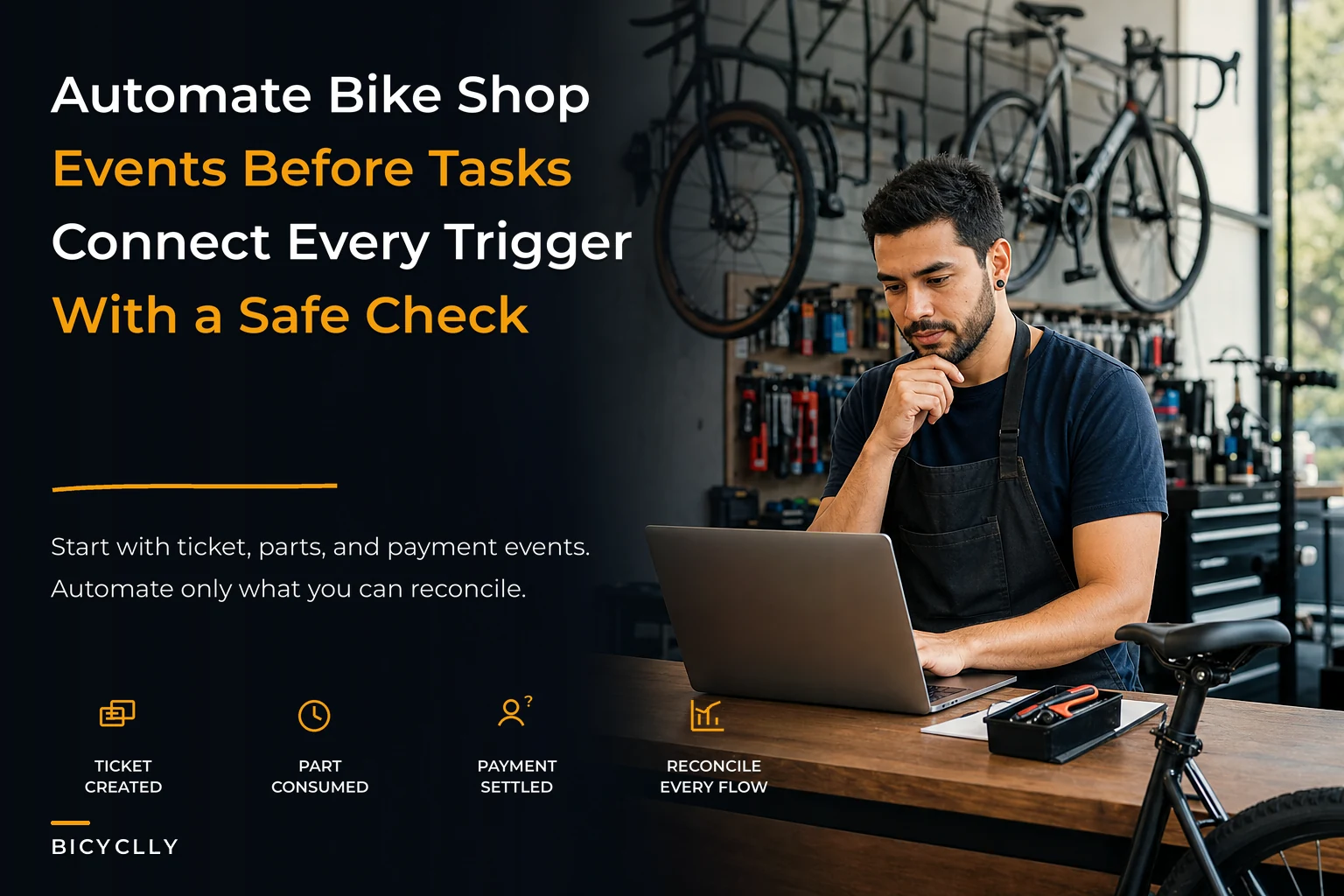
The better framing is event-first. Your shop already runs on events, whether you've named them or not. A ticket gets created. A part comes off the shelf. A payment settles. A bike moves from "in queue" to "on the stand." Each of those is a moment where something changes and someone — or something — needs to do the next thing. Automation is just deciding, deliberately, which of those moments are safe and worthwhile to hand off.
This is the part people skip. They automate the flashy stuff — marketing texts, review requests — and leave the boring backbone events manual, which is exactly backwards. The backbone events are where money leaks and where staff burn time re-entering data. So the roadmap should be built around events, in the order that actually protects your margin.
Why the "event-first" framing beats the "app-first" framing
When shops buy automation app-first, they inherit whatever events that app happens to care about. A review tool cares about "service completed." A marketing tool cares about "customer hasn't visited in 90 days." Individually fine. Together, they create a shop where three different systems each think they own the customer record, and none of them agree on what "completed" actually means.
Event-first flips it. You list the real events in your operation, decide which ones matter, and only then ask what should listen for them. The event becomes the source of truth, and tools subscribe to it. It's a subtle shift, but it changes everything downstream — especially your data cleanliness, which is the thing that quietly kills most automation projects.
Shops that map their events before buying anything tend to end up with fewer tools, not more. Once you see that "ticket created," "part consumed," and "payment settled" cover maybe 80% of the coordination work, you stop shopping for a point solution for every little thing.
Here's a rough hierarchy of events in a typical service-and-retail shop, ranked by how much operational pain they cause when handled manually:
| Event | How often it fires | Manual cost when it breaks | Automation risk |
|---|---|---|---|
| Ticket created | Every job, all day | Missed intake details, wrong ETA | Low |
| Part consumed | Multiple times per ticket | Silent stockouts, margin leak | Medium |
| Payment settled | Every sale/service | Books don't match, tax mess | Medium-High |
| Bike status changed | Several times per ticket | "Is it ready yet?" calls | Low |
| Customer inactive (90d) | Batch, daily | Lost repeat revenue | Low |
| Supplier PO received | A few times a week | Parts sit unreceived, tickets stall | Medium |
The top three rows are your foundation. Notice the risk column — the ones that touch money carry the most risk, so they get the most guardrails, not the least attention.
Event #1: Ticket Created — start here because it's the safest
"Ticket created" is the first event you should automate, and it's the one shops most often leave manual out of habit. Someone at the counter writes up a repair, and then a human decides what happens next: text the customer an estimate, assign a mechanic, set an ETA. Every one of those steps is a place where the ball gets dropped on a busy Saturday.
Never miss a sale or service appointment again.
Bicyclly helps you manage every sale, repair, and booking with ease and accuracy.
- Unified inventory and sales tracking
- Automated customer notifications
- Service appointment scheduling
No credit card required
The reason to start here is simple: the downside is low. If a ticket-created automation misfires, worst case is a slightly awkward confirmation text or a job that lands in the wrong queue — annoying, not expensive. Compare that to payment automation, where a misfire touches your books.
A safe recipe for this event:
-
Ticket created →
-
Generate a ticket number and attach it to the customer record (no new duplicates — match on phone or email first)
-
Send a confirmation with a realistic ETA pulled from current queue depth, not a fixed "2–3 days"
-
Assign to a mechanic based on job type and current load
-
Drop the intake notes into the mechanic's view so nothing gets re-typed
The insight most shops miss on step 3: the ETA should be dynamic. A static "your bike will be ready Friday" text is worse than no text if Friday isn't real. A queue-aware estimate — even something rough like "3–5 business days based on current volume" — cuts the "is it ready yet?" calls more than a confident-but-wrong specific date ever does.
One thing to watch before you flip this on: don't automate customer-facing messages before your ticket data is clean. If your intake process creates duplicate customer records, the automation will happily text the same person three times. Get the record-matching right first.
Event #2: Part Consumed — where your margin actually lives
This is the event most shops never treat as an event at all. A mechanic grabs a chain, a cassette, a set of pads off the shelf, installs them, and maybe — maybe — remembers to log them to the ticket later. That gap between physical consumption and recorded consumption is where inventory accuracy goes to die.
The problem compounds. One mechanic forgetting a $12 part now and then is noise. Four mechanics doing it across 40 tickets a week is a real number — a few hundred dollars a month in unrecorded parts, plus phantom stock that tells you the brake pad drawer is full when it's empty. Then a ticket stalls because the part you "had" isn't there, and a same-day job becomes a three-day wait.
The event-first fix is to make "part consumed" fire the moment a part is added to the ticket, and have it do two things:
-
Decrement inventory in real time, not in a nightly batch or a monthly count
-
Check the new on-hand level against the reorder point and flag a reorder if it's breached
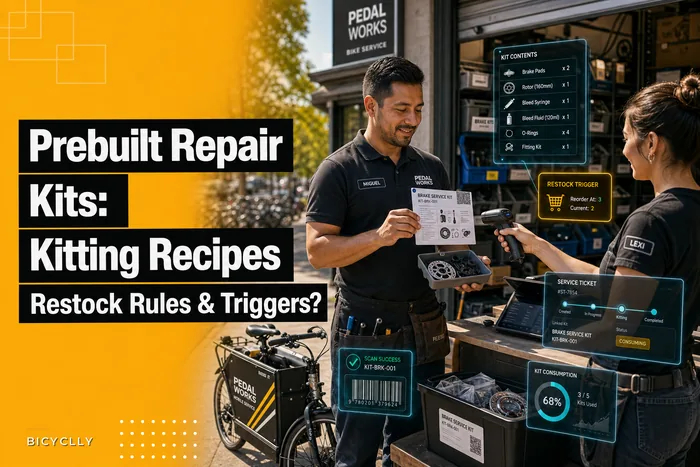
This is where prebuilt kits pay off, because they collapse a dozen small "part consumed" events into one clean action. If your common jobs already pull from a defined kit, logging consumption is one step instead of twelve. We've written more about building those in Prebuilt Repair Kits for the Most Common Shop Jobs: Kitting Recipes and Restock Rules — kitting is honestly one of the highest-leverage things you can do before automating this event.
The reorder trigger is what connects back to your supply chain. When a part-consumed event pushes stock below the reorder point, the automation shouldn't just email you — it should draft a PO, or at minimum a ranked reorder suggestion, based on which supplier is actually reliable right now. Tying that trigger to real supplier performance instead of a static "usual vendor" is the difference between a reorder that arrives Tuesday and one that stalls a week. If you haven't scored your vendors yet, Supplier Scorecards That Prevent Repair Delays walks through how to do it so the automation has decent data to work from.
When automating part-consumption is a bad idea
If your SKUs are a mess — three entries for the same chain, half your accessories logged as "misc," no consistent naming convention — do not automate this event yet. You'll just be automating garbage. A real-time inventory decrement on top of dirty SKU data creates false stockouts and false reorders, and staff will stop trusting the alerts within a week. Clean the master SKU list first. It's boring work, and it's the single biggest predictor of whether inventory automation actually holds up, which is why it deserves its own project. The approach in Data Governance for Bike Shops: Master-SKU Rules, Integration Order and a Monthly Reconciliation Cadence is a solid starting point before you wire up any triggers.
Event #3: Payment Settled — highest value, highest caution
Payment is where automation stops being a convenience and starts being an accounting decision. When a payment settles, a lot needs to happen: revenue recorded, tax handled, inventory finalized, deposit reconciled, maybe a review request queued. The temptation is to automate all of it. The discipline is to automate the recording and leave the money movement observable.
-
Recording automations — logging the sale, attaching it to the ticket, pushing the transaction to accounting, closing out the parts. These are safe to automate because they're reversible and auditable.
-
Money-moving automations — refunds, deposit captures, financing charges. These should almost never fire fully unattended. Automate the preparation (draft the refund, flag the deposit for capture) but keep a human on the trigger.
A typical failure: a shop automates "payment settled → push to accounting," but their POS and accounting disagree on what a discount or trade-in credit means. Now every discounted sale creates a small mismatch, and three months later reconciliation is full of $4-and-$11 discrepancies nobody can explain. The automation didn't cause the problem — the data mapping did — but the automation scaled it across every single transaction.
The rule for the payment event is: automate recording only after your POS-to-accounting mapping is proven. Run it in parallel for a couple of weeks — automation records alongside your manual process — and reconcile. If they match, cut over. If they don't, you just found your mapping bug before it poisoned your books.
The webhook/playbook pattern that ties it together
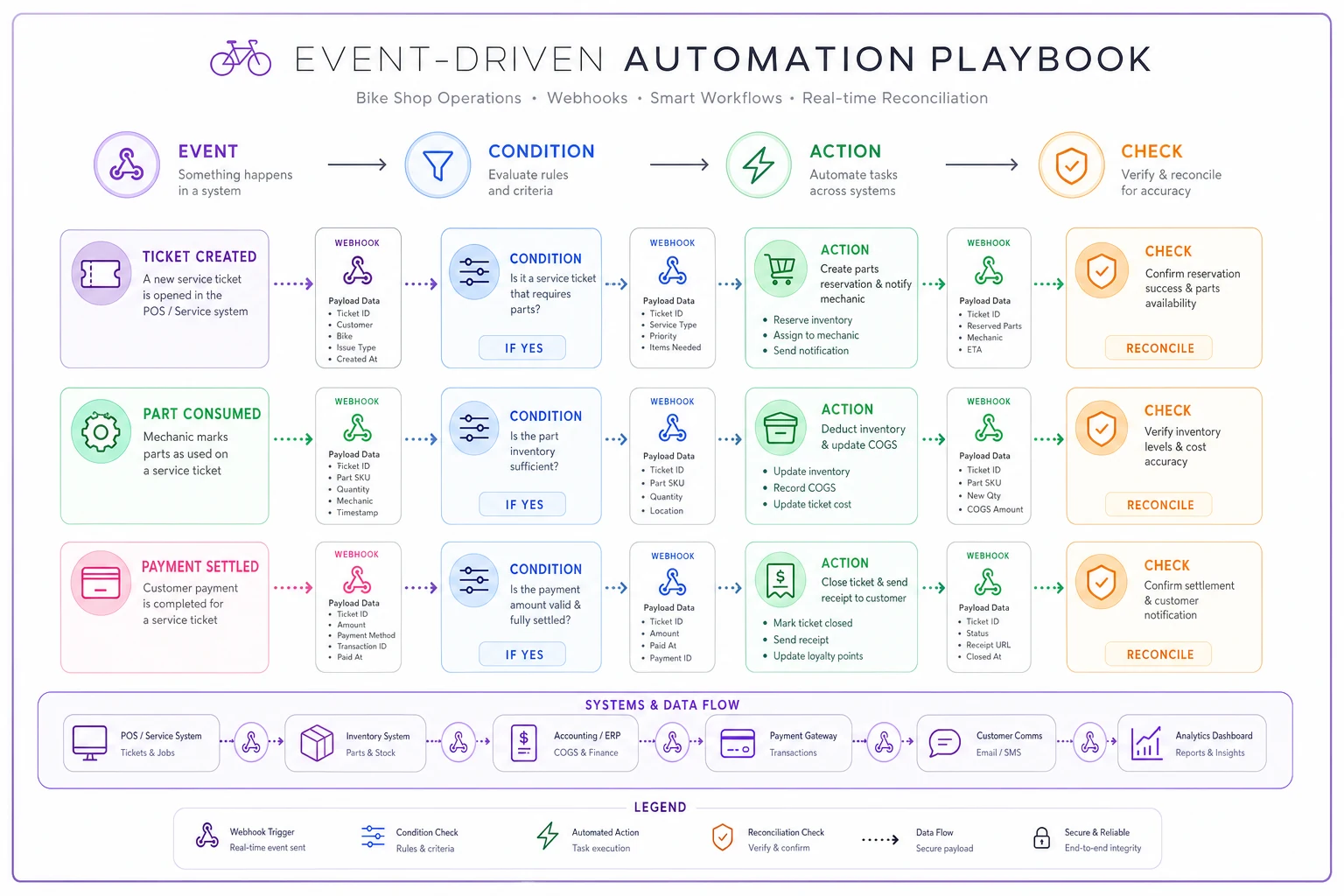
Under the hood, all three events work the same way. An event fires. A webhook carries the details ("ticket #4821 created, customer X, job type tune-up"). A playbook — a defined sequence of steps — decides what happens in response.
The mental model: event → condition → action → check. Every solid automation has all four. Skip the condition and you get spam. Skip the check and you get silent failures.
A concrete playbook for the part-consumed event, written the way you'd actually reason through it:
-
Event part added to a ticket
-
Condition is this a real SKU with a reorder point set? (if not, log it for review, don't guess)
-
Action decrement on-hand, recalculate available stock
-
Condition did this breach the reorder point?
-
Action if yes, draft a reorder from the preferred in-stock supplier
-
Check confirm the decrement matches the ticket line, log any mismatch for the daily review
That last step — the check — is what separates a system you can trust from one you have to babysit. The shops that succeed with automation treat every automation as "innocent until reconciled." The check step is cheap to build and saves you from the classic trap where something quietly does the wrong thing for six weeks before anyone notices.
A simple visual of the event→condition→action→check flow.
Modern AI-powered operational platforms can make these playbooks more forgiving — catching that "SRAM GX cassette" and "GX 12sp cassette" are probably the same SKU and flagging it instead of creating a false stockout. That kind of fuzzy matching used to require perfect data; now the system can absorb some mess while you clean it up. But it's a helper, not a substitute for doing the mapping work.
Governance: the checks that keep automation from lying to you
Automation fails quietly. That's the whole danger. A broken text sequence, you'd notice. A broken inventory decrement that's been off by a few units per day for a month? You won't, until a physical count blows up or a ticket stalls on a part you were supposed to have. Governance isn't optional overhead — it's what makes the whole roadmap safe.
A minimum governance checklist for an event-driven shop:
-
Every automation has an owner. One named person who knows why it exists and can turn it off.
-
Every automation logs what it did. No silent actions. If it decremented stock or drafted a PO, there's a record.
-
A daily exception review. Not a review of everything — just the things the automations flagged as weird. Five minutes over coffee.
-
A monthly reconciliation comparing automated records against physical reality: cycle counts against system stock, POS totals against accounting.
-
A kill switch per event. You should be able to disable "part consumed" automation without breaking "ticket created." Keep them independent.
-
A change log. When someone edits a playbook, it gets written down. Half of all "why is this suddenly broken" mysteries trace back to an undocumented change.
The pattern behind all of these: automation earns trust incrementally. Turn on one event. Watch it for two weeks. Reconcile. If it holds, add the next. Shops that flip everything on at once are the ones that rip it all out three months later.
A real scenario: a two-mechanic shop that got the order right
A small shop — two mechanics, one counter person, roughly 30–40 tickets a week, decent retail wall — was drowning in re-entry work and phantom stock. Their instinct was to buy a review-request tool and a marketing texter, because that's what everyone recommends. Instead they went event-first.
They started with ticket-created: dynamic ETAs and auto-assignment. The "is it ready?" calls dropped noticeably within a few weeks — not gone, but the counter person stopped feeling ambushed by them. It cost them almost nothing to get wrong, which was the point.
Then, after spending an unglamorous weekend cleaning their SKU list, they turned on part-consumed with real-time decrement and reorder flags. This is where the money showed up. Inventory accuracy went from "we count and cry quarterly" to reliably close, and the phantom-stockout stalls — same-day jobs that turned into wait-for-parts jobs — mostly disappeared. Unrecorded parts had been costing them somewhere in the low hundreds a month; that leak basically closed.
Payment automation came last, and they only automated recording, running it in parallel for two weeks before trusting it. In that window they found two mapping bugs — one around trade-in credits — that would have made a mess of their books if they'd gone live blind. Fixing those before cutover was the whole value of going slow.
Total elapsed time from start to all three events running cleanly: about two months, most of it spent on data cleanup rather than the automation itself. Which is the real lesson.
Who should NOT start automating yet
Not every shop is ready, and forcing it does more harm than good. Hold off if:
-
Your customer records are full of duplicates and you have no matching rule
-
Your SKU list has multiple entries for the same product and no owner
-
Your POS and accounting already disagree and nobody's reconciled them recently
-
You don't have even five minutes a day to look at exceptions
If that's where you are, the highest-value move isn't automation — it's the boring foundation work. Automation is a multiplier. Multiply clean operations and you get leverage. Multiply a mess and you get a bigger, faster mess.
Where this roadmap takes you
The event-first approach scales in a way the app-first approach never does. Once ticket-created, part-consumed, and payment-settled are solid, adding the next event — bike-status-changed, or supplier-PO-received — is cheap, because the pattern is already in place and your data is already clean. You're not bolting on another disconnected app; you're subscribing another action to an event you already trust.
That's the quiet payoff. Shops that build this way spend less time firefighting and more time on the stuff that actually needs a human — the tricky diagnosis, the upsell conversation, the regular who wants to talk about their new gravel build. The automation handles the events that were only ever manual out of habit, and the shop runs on rails instead of adrenaline. Start with the safe event, prove it, and let the roadmap earn its own next step.
The event-first approach scales in a way the app-first approach never does. Once ticket-created, part-consumed, and payment-settled are solid, adding the next event — bike-status-changed, or supplier-PO-received — is cheap, because the pattern is already in place and your data is already clean. You're not bolting on another disconnected app; you're subscribing another action to an event you already trust.
That's the quiet payoff. Shops that build this way spend less time firefighting and more time on the stuff that actually needs a human — the tricky diagnosis, the upsell conversation, the regular who wants to talk about their new gravel build. The automation handles the events that were only ever manual out of habit, and the shop runs on rails instead of adrenaline. Start with the safe event, prove it, and let the roadmap earn its own next step.
Ready to revolutionize your bike shop operations?
Join hundreds of bike shops using Bicyclly to save time, increase revenue, and deliver exceptional customer service.